Wednesday, March 13, 2013


Progress Update 1:

Control Mechanics

(The keys defined here are set to their designations by default. They can be changed on demand.)

Project Scarlet Rain utilizes a free floating camera system that can be manipulated using the mouse. The player is free to examine the environment without moving the character(Scarlet). Controlling Scarlet is done with the keyboard. W-A-S-D keys are used to move Scarlet. If the LeftShift key is pressed during movement, Scarlet will start running. Scarlet can run for minutes before he gets tired, but recharging your stamina takes just as long as it takes for it to run out. Space makes Scarlet jump, and can be useful when trying to avoid obstacles in your path. Q and E keys can be used to lean left and right, respectively. Leaning is useful for checking corners or during firefights, when you're behind cover. Right mouse button will make Scarlet concentrate/aim on the 3D reticule. This is where the Free-Aim system comes into play. Unlike most shooters, Scarlet's movements aren't defined by the center of the camera. Scarlet can look around the game environment freely, and aiming with this system brings a whole new depth of immersion to the gameplay. 

Scarlet can holster/unholster his weapons by using the H key. This lets him pick up and inspect/use other objects within the game environment without the need for dropping his weapons. The R button is used to reload the selected weapon, and should the discarded magazine have any bullets in it, they will be lost. The L button brings up the flashlight, which can be equipped while a weapon is drawn. This will affect your accuracy as Scarlet will hold the weapon with a single hand. LeftAlt deploys a flare, which is useful for lighting an area for a short amount of time. The F key is used to interact with whatever item is nearest. It's used for picking up items, activating buttons/levers, opening doors etc. A work in progress function is crouching, which will be done using the LeftControl key. 1-2 numerical keys switches between primary and secondary weapons, while TAB is used to display objectives and the 3D compass. Every action has weight to it, transitioning from standing still to walking to running, and while Scarlet may draw his weapon and aim quickly, it will still take some time for him to turn 180 degrees

Thursday, December 27, 2012

Tuesday, December 25, 2012

New Post!
I'm currently working on a code that randomizes enemy parts (heads/eyes/bodies/hands/shoes)so some parts are missing in this build, I'll upload the results soon enough. Also note that the flashlight and muzzle flash effects are placeholders. The next update will have better versions.

 All images are work in progress pre-alpha and do not represent the final quality. 

Scarlet leaves a flare running in a backalley.

                                       
Aiming down the sights of an SMG in the hallway.
                                       

This is the exterior view of the same building.

Sunday, December 9, 2012

Updates List:


-Walking on different surface types (concrete, metal, wood and snow for now)instantiates different sounds and/or particle effects. Also added different intervals and effects for walking and running. 
-Begun work on H100 Vehicle.
-Begun work on headlight particle animations.
-AI Opponents now have limited field of view. You can sneak up behind them if you're careful enough.
-Fixed physics based objects with the integration of custom physics materials. Weapons and items no longer fall through the map.
-Added flares (particle effects and instantiate code). They will be invaluable in the demo as your primary source of light in total darkness.
-Added fully automatic fire for certain weapons. Fire rates and reload speeds completely tweakable.

Minor Additions and Fixes:


-Fixed major camera issues, still has some clipping issues.

-Added a "drop item" animation for the items you may be carrying. Stylish and useful.
-Fixed AI Opponent waypoint system where "wait" command would not always work.


Monday, November 5, 2012

First Screenshot from WIP level.

The Project: Third Person Shooter for PC Platform.
The Core of Third Person Shooters Part One:

Why use the Third Person perspective?

Player: The person who plays the game, who controls the character.
Character: The entity that interacts with the game environment, controlled by a human player.

The Third Person perspective allows for players to see the character they’re controlling at all times. The camera always follows from an outside point of view, enabling the player to see the environment and immediate colliders around the character they’re controlling, therefore creating a more grounded feeling of movement and interaction.

Having the character in view provides a more intriguing way of storytelling; as opposed to having the camera in First Person view. The character has been physically defined and presented in front of the player, triggering a heightened sense of role playing. The player becomes the character, instead of the character becoming the player; the less the player sees, the more he will have to create with his own imagination, something we want to avoid when trying to tell a realistic story in video games. There has to be boundaries set; how much do we want the player to make his own, and how much do we want to define as facts. In order to have a pre-defined and believable character, it is better suited to use the Third Person perspective.  

Case in Point:

                     Max Payne ( 2001), Remedy Entertainment, GoD Games
Max Payne uses the Third Person perspective to tell a more mature and relatively realistic story. You always see Max when you’re controlling him. When you get used to the controls, you become Max. You know how tall you are, how you look and what kind of clothes you wear. He has a voice, he speaks, he reacts and is overall more grounded in reality. There are no “ifs” and “buts”. The character has been pre-defined. 

                                  Half-Life (1998), Valve Software, Sierra Entertainment
Half-Life’s story is every bit intriguing as it is unknown. We know nothing about the main character we’re controlling, only his name and what he possibly looks like(He’s never shown in gameplay, but we see what he looks like in the game’s menu). He never speaks, never shows any emotions, never reacts to anything. He’s a blank slate for the player to fill. So Gordon becomes the player. 


Mechanics wise, Project Scarlet Rain fuses old-school skill based gaming with contemporary features. Features like leaning, navigating and path finding combined with relatively newer ones such as the ability to free-look and manipulate objects manually within the game environment combine to produce a hybrid that rarely exists in independent game projects. The camera can be maneuvered in 360 degrees to look around and investigate the surrounding area, and game objects that the Character can interact with are all responsive to the Player commands.


In Conclusion:

The Third Person perspective offers a more cinematic, engaging and character-based storytelling method that Project Scarlet Rain aims to deliver. 

Third Person Perspective:

                                          Resident Evil 4(2005), Capcom

                                          Metal Gear Solid 3(2005), Konami

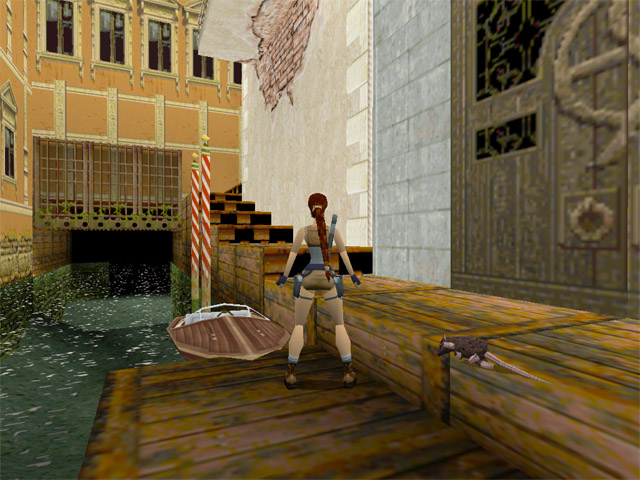
                                          Tomb Raider 2(1996), Core Design, Eidos

First Person Perspective:

                                         Duke Nukem 3D (1996), 3DRealms

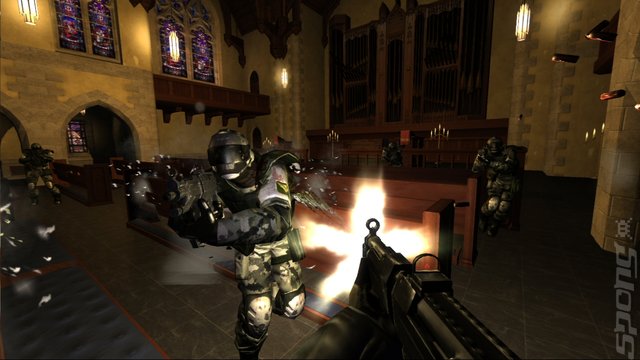
                                          F.E.A.R. (2005), Monolith, Sierra Entertainment

                                         Call of Duty 4: Modern Warfare(2007), IW, Activision


Tuesday, October 30, 2012

Project Scarlet Rain - First Entry -

This will serve as the development blog of Project Scarlet Rain. 

I will post development updates & screenshots, as well as embedding walkthrough videos from youtube.